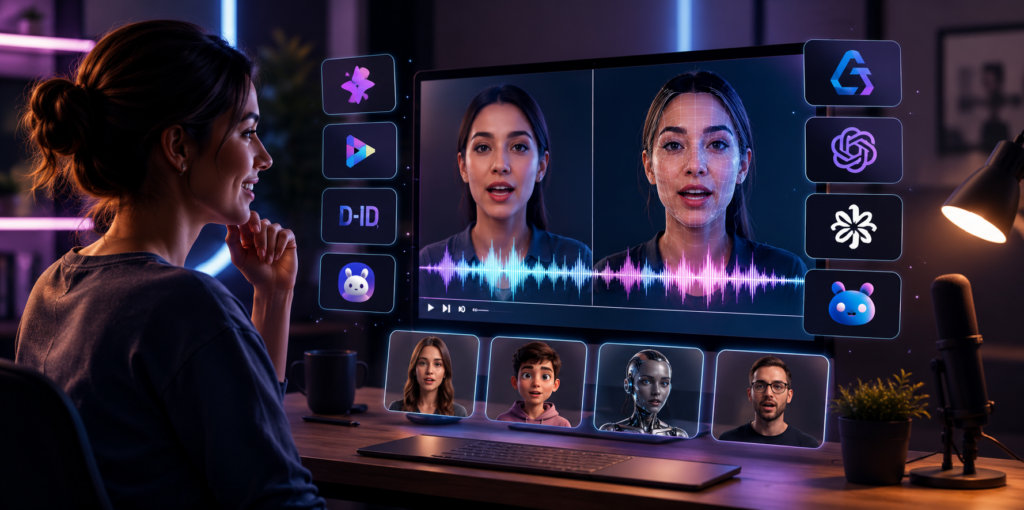
You can choose from a variety of options for the best free AI lip sync tool in 2026. The lip sync technology with AI has been vastly advanced and can match facial movements with speech in a matter of clicks. From marketing videos to social media posts, animated characters to multilingual tutorials, the ideal tool can save hours of editing. Once I have done the research and comparison of today’s top platforms on accuracy, speed, pricing, usability, and creative functions, I found some tools stand out in various ways. Here’s a closer look at the best AI lip sync generators available this year.
Best AI Lip Sync Tools at a Glance
| Tool | Best For | Free Plan | Platforms | Starting Price |
| Magic Hour | Overall AI content creation | ✅ Yes | Web | Free / Creator $15/mo ($10/mo annually) |
| HeyGen | Business avatars | Limited | Web | Paid |
| Synthesia | Training & corporate videos | Demo | Web | Paid |
| D-ID | Talking photos | Limited | Web | Paid |
| Captions | Social media creators | Limited | Web, iOS | Paid |
| Runway | AI video editing | Limited | Web | Paid |
| Hedra | AI characters | Yes | Web | Free & Paid |
| Kling AI | Cinematic AI videos | Limited | Web | Paid |
| Pika | Creative AI videos | Limited | Web | Paid |
| Akool | Marketing content | Limited | Web | Paid |
1. Magic Hour
I would personally highly recommend Magic Hour as the one platform creators should use in 2026. This is not just lip syncing; it’s the whole AI-powered creative suite in a single workflow – image generation, video editing, face swapping, and talking photos. It automatically produced natural facial movements, quick processing, and amazing voice synchronization during testing. I found the most impressive aspect of the free AI lip sync experience is that you don’t need to make an account to use it, which makes it one of the easiest tools to test out before signing up for the paid version.
Pros
- Excellent lip synchronization accuracy
- No signup required to try the tool
- Generous free plan
- Credits never expire
- Supports multiple AI models
- Fast rendering with multiple variations
- Includes lip sync ai, face swap, image to video, and ai image editor tools
- Beginner-friendly interface
- Reliable performance during high traffic
Cons
- Advanced workflows require a paid plan
- Desktop experience offers more flexibility than mobile
My Take
Magic Hour delivers the best balance of quality, speed, and value, letting creators handle complete AI video workflows from one platform.
Pricing
- Free Plan
- Creator: $15/month or $10/month (billed annually)
- Pro: $39/month
- Additional business plans available
2. HeyGen
HeyGen helps you make pretty realistic AI avatar clips with dependable mouth syncing, multi language support, and also those polished template options for business stuff and marketing content, like you know, the usual.
Pros
- Realistic AI avatars
- Excellent multilingual support
- Professional templates
- Easy video editing workflow
- Strong voice cloning features
Cons
- Limited customization outside avatar videos
- Higher pricing for premium features
My Take
HeyGen is an excellent choice for business presentations and AI avatar videos, offering realistic avatars and strong multilingual capabilities.
Pricing
- Free trial available
- Paid plans start from premium subscription tiers
3. Synthesia
Synthesia is a top AI video platform for business training, onboarding, and learning material, it brings realistic avatars and works in multiple languages too.
Pros
- Enterprise-grade security
- Large avatar library
- Supports many languages
- Professional templates
- Strong collaboration tools
Cons
- Limited creative freedom
- Expensive for smaller creators
My Take
Synthesia is ideal for business and educational videos, delivering polished AI avatar content with minimal editing required.
Pricing
- Demo available
- Premium subscription plans
4. D-ID
D-ID turns static images into really lifelike talking portraits, which is sort of why it fits educators, marketers, storytellers and even those doing historical presentations.
Pros
- Realistic talking photos
- Easy-to-use interface
- Fast video generation
- Supports multiple languages
- API available for developers
Cons
- Limited video editing features
- Best suited for talking portraits rather than complete video production
My Take
D-ID is a great choice for creating realistic talking photos with natural animations and an easy workflow for all skill levels.
Pricing
- Limited free access
- Paid subscription plans available
5. Captions
Captions mixes AI lip sync, voice boosting, and automatic cut editing, so it has become a go to tool for TikTok , Instagram, and YouTube creators.
Pros
- Beginner-friendly interface
- Automatic captions and subtitles
- AI voice enhancement
- Fast export speeds
- Mobile-friendly workflow
Cons
- Some advanced features require a paid plan
- Better suited for short-form content than long videos
My Take
Captions is a great option for social media creators who want fast AI editing, accurate lip sync, and quick video production.
Pricing
- Limited free plan
- Paid plans available
Read: How Artificial Intelligence works in eCommerce
6. Runway
Runway has advanced AI video editing and generation tools, which makes it a pretty powerful pick for creative people , filmmakers , and those doing post production work every day.
Pros
- Professional AI video editing
- High-quality video generation
- Powerful background removal
- Frequent feature updates
- Suitable for commercial projects
Cons
- Learning curve for beginners
- Lip sync isn’t its primary focus
My Take
Runway is ideal for filmmakers, agencies, and experienced creators who want advanced editing tools alongside AI-assisted workflows.
Pricing
- Free plan available
- Premium plans available
7. Hedra
Hedra creates AI-generated talking characters with natural lip sync, making it ideal for storytelling, educational, and character-based videos.
Pros
- Realistic AI characters
- Easy prompt-based generation
- Fast rendering
- Beginner-friendly interface
- Free plan available
Cons
- Smaller feature set than established competitors
- Limited editing controls
My Take
Hedra is worth trying if you’re experimenting with AI characters instead of traditional talking-head videos. It continues to improve with frequent updates.
Pricing
- Free plan
- Paid upgrades available
8. Kling AI
Kling AI creates cinematic AI videos with improving lip sync quality, making it a strong choice for creative and visual storytelling projects.
Pros
- High-quality cinematic output
- Excellent motion generation
- Realistic facial expressions
- Creative prompt controls
- Continuous improvements
Cons
- Longer generation times
- Limited free credits
My Take
For creators who prioritize visual quality, Kling AI delivers impressive results. It’s especially useful for cinematic storytelling and AI-generated scenes.
Pricing
- Free credits available
- Premium subscription plans
9. Pika
Pika aims at bringing AI video production to everyone. With its sleek design and innovative effects, Pika is a favourite amongst content creators who want to make interesting videos in an easy manner.
Pros
- Simple interface
- Creative animation effects
- Quick rendering
- Frequent updates
- Active community
Cons
- Limited professional editing features
- Free plan includes usage limits
My Take
Pika is an excellent option for creators who want visually engaging AI videos with minimal effort. It may not replace professional editing software, but it’s highly accessible.
Pricing
- Free plan
- Paid subscription options
10. Akool
Akool is built with companies and marketers in mind. The product is a combination of AI avatars, facial animations, translations, and lip synchronization, making it ideal for international marketing and product presentations.
Pros
- Business-focused features
- AI avatars and translation
- API integration
- Good collaboration tools
- Commercial-friendly workflows
Cons
- Premium pricing
- More suitable for businesses than individual creators
My Take
Akool is a solid choice for companies that need scalable AI video production with multilingual support and marketing-focused features.
Pricing
- Free trial
- Paid subscription plans
How I Chose These AI Lip Sync Tools
To create this list, I compared each AI lip sync platform using the same evaluation criteria to ensure a fair comparison. I looked beyond lip sync accuracy and focused on overall performance in real-world use. Every software was evaluated on the basis of the quality of the video generated, realistic movement of the face, rendering speed, user-friendliness, editing capabilities, cost, availability of a free version, and overall value for money. Reliability, stability of the platform, and the extent to which every solution satisfies the requirements of various users were also considered.
AI Lip Sync Market Trends in 2026
AI lip-sync software has become a part of the full content creation process, which integrates video editing, picture generation, and animation into one application. Multilingual video creation needs are on the rise as companies create localized content to use in marketing, training, and customer service videos. Creators opt for quick and budget-friendly all-in-one AI tools rather than lip-sync applications.
Final Thoughts
Selection of AI lip sync software will vary according to one’s requirements, budget, and working style. However, if one requires the most advanced version of such software, which not only provides the lip sync feature but also has many more features such as video editing, AI imaging, and creative automation, then the Magic Hour would be the best option. If one works in an industry, then HeyGen and Synthesia can be considered, while if one is more of a storyteller, then Hedra, Kling AI, and Pika could be considered.
Frequently Asked Questions
1. What is the best free AI lip sync tool in 2026?
Magic Hour is one of the best free AI lip sync tools thanks to its accuracy, free tier, and all-in-one AI features.
2. Can AI lip sync animate a photo?
Yes, many AI lip sync tools can turn a still photo into a realistic talking image.
3. Is there a free AI lip sync generator with no sign up?
Yes, Magic Hour lets you try its AI lip sync tool without creating an account.
4. Which AI lip sync tool is best for YouTube Shorts and TikTok?
Magic Hour and Captions are excellent choices for creating short-form social media videos.
5. Does AI lip sync work with different languages?
Yes, most modern AI lip sync tools support multiple languages and voice synchronization.